English (UK)
 Español
 Français
 Deutsch
 Português
 Italiano


Most business laptops sent for recycling could have been refurbished and put back into circulation. The word “recycling” is used loosely across the industry, and it covers everything from shredding at a material recovery facility to full-device refurbishment for a second user. Businesses often pay for the wrong route without realising the difference. This piece cuts through the marketing language on corporate laptop recycling, explains what UK law actually requires, and identifies which units should never enter the recycling stream at all.
What Recycling Actually Means for Used Business Laptops
Recycling is a catch-all term for three very different outcomes:
- Material recovery. The laptop is broken down and its metals, plastics, and rare earths are extracted for reuse in new products. The device itself no longer exists.
- Refurbishment for reuse. The laptop is tested, wiped, repaired if needed, and redeployed to a second user. The device stays in circulation for years longer.
- Secure destruction. The unit is physically destroyed, usually because a drive cannot be sanitised any other way.
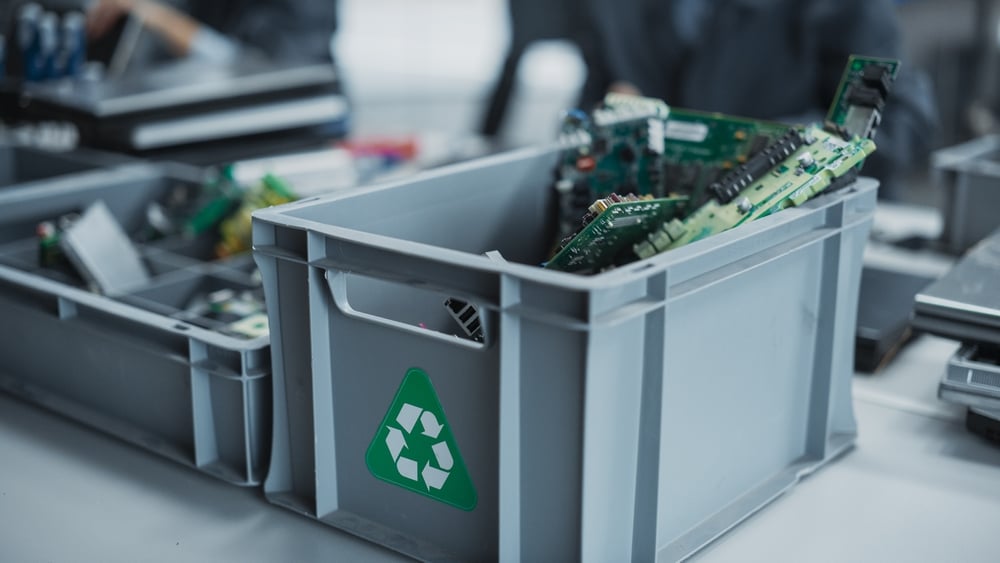
Only a fraction of business laptops sent to a “recycler” are ever refurbished. The rest are shredded for materials, which recovers value but ends the useful life of a working machine. That is the gap a proper WEEE recycling for business framework is designed to close.
Can You Put a Business Laptop in the Recycling Bin
No. Two separate legal frameworks stop you.
The UK WEEE Regulations 2013 treat business electrical waste as a distinct category with its own producer responsibility and disposal duties. Domestic kerbside recycling is not lawful business WEEE disposal.
UK GDPR and the Data Protection Act 2018 add a second obligation. Any device that has held personal data remains the controller’s responsibility until that data is verifiably destroyed. Dropping a laptop into a general waste stream leaves the business exposed to enforcement action, fines, and the public disclosure requirements that follow if the data resurfaces.
Compliant collection is the legal minimum, not a premium service.
What to Do Before You Recycle a Business Laptop
A few steps of prep keep the process clean and audit-ready:
- Confirm every device on the collection list against your asset register
- Record battery health, physical condition, and storage encryption status
- Collect accessories where they exist (chargers, docks, cables)
- Do not attempt drive-level sanitisation in-house
That last point matters. Wiping to HMG and NIST-approved standards requires specialist software, a full disk audit, and a documented chain of custody. A proper IT disposal partner carries all three, so the drive work happens under a compliant workflow with paperwork you can attach to your risk register. In-house wiping without that framework leaves the audit trail incomplete.
What Counts as a Missed Donation Opportunity
Some laptops should never enter the recycling stream at all. Computer Aid works to a published minimum specification, which keeps the bar high so every donated device genuinely serves a second user. A laptop is suitable for donation when it meets all of the following:
- No more than 6 years from manufacture at point of donation
- Intel i3, i5, or i7 processor, 5th generation or newer
- Minimum 8GB RAM and 250GB storage
- In working order, with intact screen, keyboard, and ports
- Battery still holding a working charge
Kit at that spec can run Windows 11 or a currently supported operating system, which is exactly what a UK school, NGO, or community organisation needs to put it straight into service. Devices in that condition can be donated as used laptops and placed at charitable rates. That keeps functional machines out of the shredder and into the hands of a student or a frontline worker who needs one. Every laptop that lands with a young learner is one that would otherwise have been recovered for scrap value alone.
Choose the Right Route for Every Used Laptop
Three routes, three tests:
- Donate for refurbishment when the laptop meets Computer Aid’s minimum spec: no more than 6 years from manufacture, i3/i5/i7 5th gen or newer, 8GB RAM, 250GB storage, in working order.
- Recycle through a compliant business WEEE partner when the unit no longer functions but contains recoverable materials.
- Route to secure destruction for anything carrying data risk that cannot be reliably wiped.
A single ITAD-plus-donation partner can handle all three streams under one collection, with one chain of custody. To arrange a collection and share your laptop list, contact the IT disposal team. To back the digital inclusion mission alongside your equipment donation, your business can donate to Computer Aid or support a digital inclusion charity directly.